Posts Tagged ‘useful’
Use a Marble to Find Good Available Light
![]()
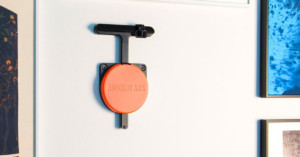
Steve 21 has an interesting trick for finding good available light: he places a marble in his hand to simulate what the light would look like on a human face:
Just hold a fist in front of you (like holding a telescope), tuck the marble just under your forefinger, and there you have it – the same lighting an eye would get.
And since you know you want the catchlights to be up at 1 to 2 o’clock, or up high at 12 o’clock, simply turn about until you see the catchlights you want.
The neat thing is that the curves and wrinkles of your hand show you the amount of contrast and backlight.
Black marbles: the latest must-have item in any beginning photographer’s camera bag.
A Trick to Finding Good Available Light [photo.net]
Image credits: Photographs by Steve 21
Magic Cable Trio: One USB Cable to Rule Them All
![]()
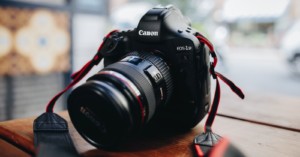
Tired of packing a huge mess of cables every time you go on a trip? The Magic Cable Trio is a 3-in-1 cable designed to cut down on your clutter. It lets you power and sync a wide range of devices ranging from phones, iOS systems (e.g. the iPad), music players, and compact cameras. Just make sure your device uses miniUSB, microUSB, or an iPhone dock connector. The three connections are daisy-chained, making it uber-compact and easy to manage. They cost $20 over at Innergie.
Magic Cable Trio (via Wired)
Quickly Look up Development Times with the Film Development Database
![]()
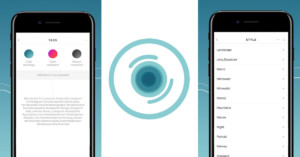
Knowing how long to develop film for is easy if you use popular films and developers, but what if you want to use some obscure combination that isn’t well documented? If that’s you, check out the Photocritic Film Development Database. It’s a simple service that outputs development times for 1440 different film/developer combinations. For combinations that aren’t officially published, creator Haje Jan Kamps has come with a formula that estimates the time — a formula that he says is surprisingly accurate.
Photocritic Film Development Database (via Pixiq)
Update: Digitaltruth also has a massive film development database/chart.
Knobroom Lets You Control Lightroom Using a MIDI Controller
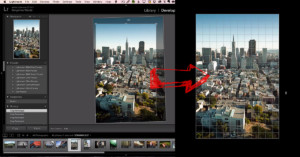
Knobroom is a free add-on for Lightroom that lets you use the knobs and sliders on a MIDI Controller to edit photos in Lightroom. Unlike PADDY, which we featured last year, Knobroom is also available to Mac users. The brief demo above shows Lightroom being controlled with a Behringer BCF2000. Freelance photographer Max Edin has written up an informative review on setting up and using the add-on.
Pointing Your Finger May Help You Aim Your Camera More Accurately
![]()
Having trouble framing shots when “shooting from the hip” and not looking through (or at) your camera? Lifehacker suggests pointing with your left hand index finger to improve your accuracy. Simply press the finger against your lens, parallel to your camera’s line of sight. The idea is that while we point at things all the time, aiming a camera isn’t quite as intuitive (though it comes with practice). By making the camera an “extension of your body”, you might be able to aim it more naturally!

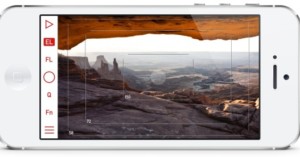
(via Lifehacker)
How to Make Your Gloves Compatible with Touchscreen Cameras
![]()
We’ve featured special gloves and mittens designed for photographers before, but what if your camera uses a touchscreen instead of physical controls? Here’s a video by Make’s Becky Stern showing how you can sew some conductive thread into your glove to make it compatible with capacitive touchscreens.
Video after the jump
A Simple Bookmarklet for Finding Copyright Infringements of Your Photos
![]()
Src Img is an uber-simple bookmarklet created by Jarred Bishop and Hayden Hunter that lets you quickly do a Google Image search for any online photograph with just two clicks. It’s a simple link (i.e. bookmarklet) that you drag into the bookmarks bar of your browser. Whenever you want to search Google Images for a particular photograph, simply click the bookmarklet. It’ll overlay all the photos on the page with a “?¿” square. Click this to search for that photo. Voila!
Camera Size: See How Digital Cameras Look Next to One Another
![]()
Mirrorless cameras are designed to be compact, but how big are they compared to DSLRs? How big are popular DSLRs compared to one another? Camera Size is a website that helps answer these types of questions. It’s a simple web app that shows you exactly how big digital cameras are compared to one another and compared to reference objects (e.g. a battery).
Read the rest of this entry »
Never Lose a Lens Swapping Duel Again with the Lowepro Lens Exchange Case
Dan Bailey over at The Photoletariat captured this brief video of Lowepro showing off its new Lens Exchange 200AW case at PhotoPlus Expo in NYC. The case is designed to help you swap lenses with one hand — instead of setting one lens down before taking out the new one, it expands to reveal a second compartment. Stick the old lens in, pull the new lens out, and then collapse the case back into its compact form.