YouTube Can Turn Your Photographs into a Slideshow In Just Minutes
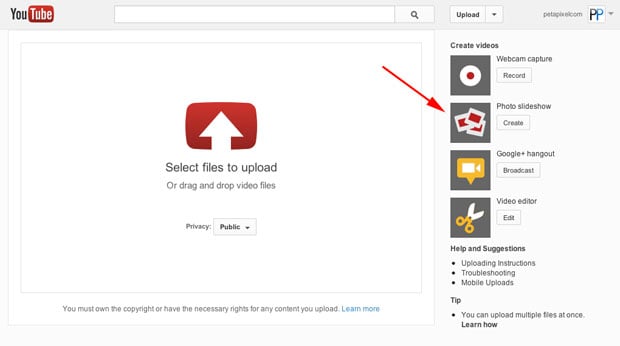
Did you know that YouTube isn’t just for uploading videos? Google’s popular video hosting service also has a special feature designed just for photo slideshows. If you’ve never considered using YouTube for photos, you may have never noticed the option, but it’s right there on the Upload page.
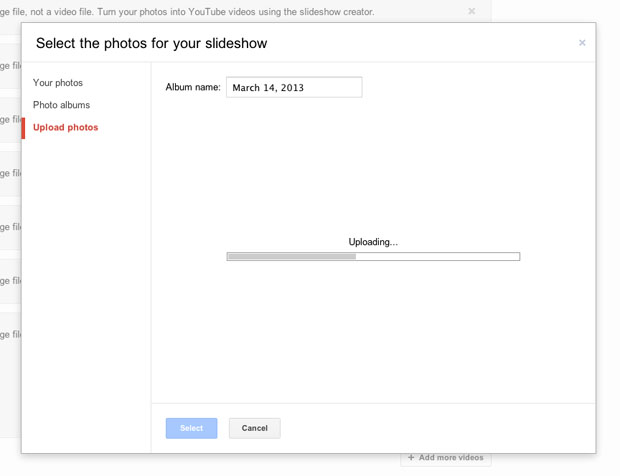
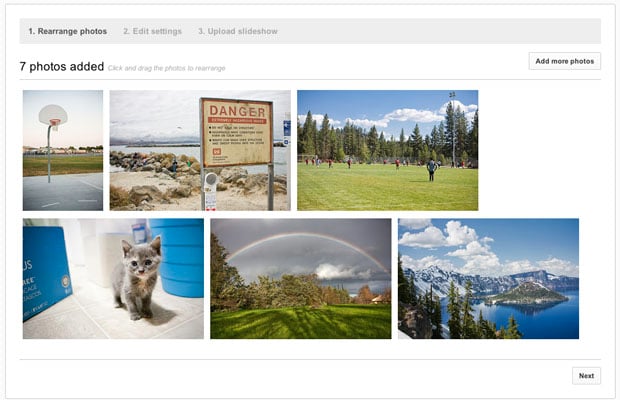
Once the photographs are uploaded to Google’s servers and selected, you can arrange the photos into the order you want…
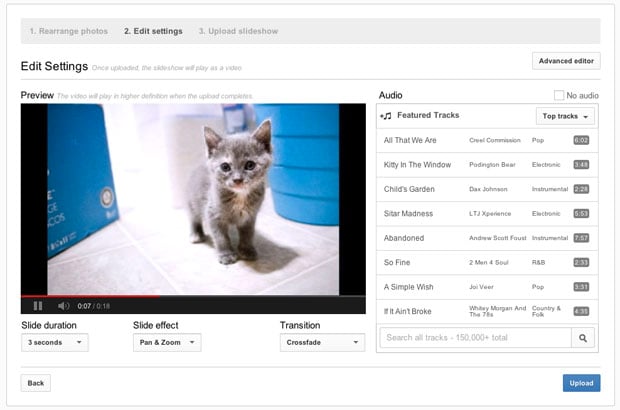
…and then customize the slideshow. Basic options include slide duration, slide effect, and transition style. The page will also give you options to add audio to your slideshow:
That’s it! Once it’s created, you’ll be taken to the standard video editing page, where you can customize the video further, change settings, and monetize it with ads if you wish.
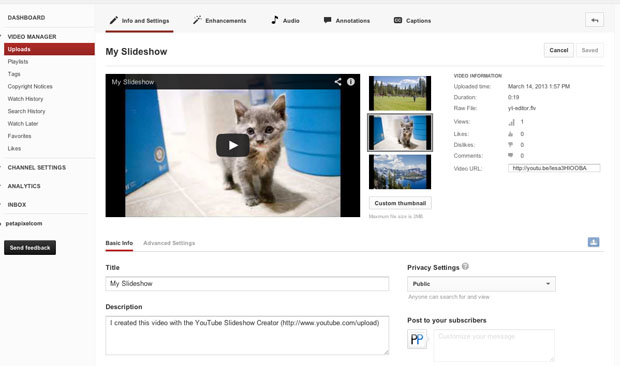
Strangely enough, the “processing” stage after creating the slideshow is what took the longest for us (you’d think it’d be fast, since we’re only dealing with photos, right?). Here’s a sample photo slideshow created using the service:
There ya go: if you ever find yourself needing to create a quick photo slideshow on the go without any special standalone software, YouTube can get the job done.