Awesome Web App for Photo Forensics

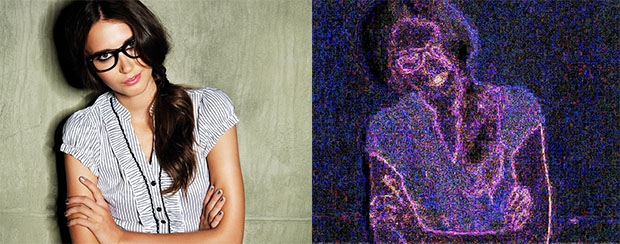
If you’ve ever wondered just how much editing goes into a particular photograph, there’s now a super easy way to find out for yourself. Image Error Level Analyser is a simple web application that takes a URL to a JPEG photo and returns an image showing differing “error levels” in the image. Here’s an example they give:
![]()
After submitting the image on the left, they return the one on the right.
Error level analysis shows differing error levels throughout this image, strongly suggesting some form of digital manipulation. Areas to note are the lips and shirt, as well as the eyes. All are at significantly different error levels than their surroundings. Presumably, colours have been altered and areas brightened.
Thus, you can now investigate any JPEG you find on the Internet to see roughly how much the photograph has been edited or manipulated. The app even gives you a permalink to the resulting image comparison. Try it out, and post your permalinks in the comments to share your findings with us!
Update: Here’s an interesting article by Wired on how researchers use this technique.
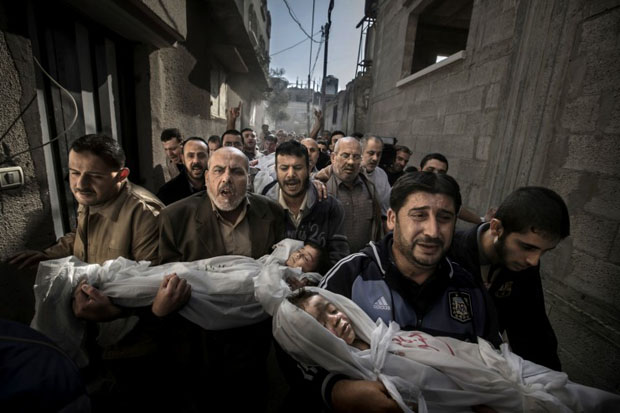
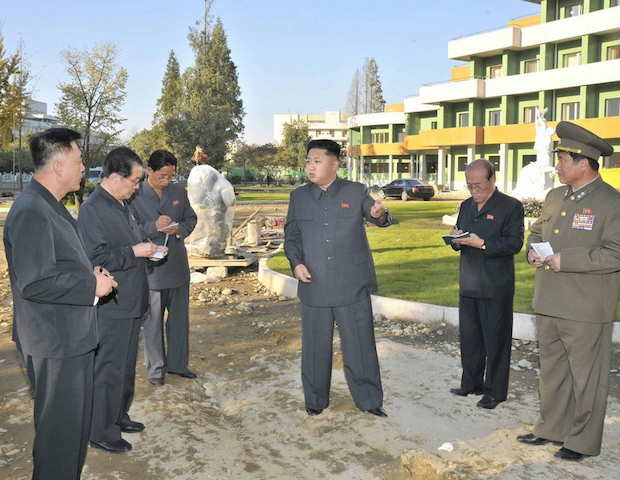
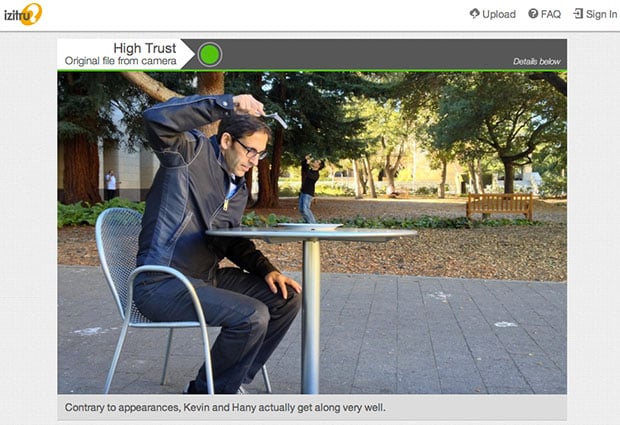


Scans of analogue shots, not modified if I remember correctly
http://errorlevelanalysis.com/permalink/86ea601/
http://errorlevelanalysis.com/permalink/2d6a20f/
I guess resizing is doing it's part as well.
I don't blame them for not taking full sized images. I can't seem to be able to see any modifications using this.
Can anyone else find the maniputilated photos in this bunch?:
http://errorlevelanalysis.com/permalink/2501cee/
http://errorlevelanalysis.com/permalink/d436067/
http://errorlevelanalysis.com/permalink/58302bf/
http://errorlevelanalysis.com/permalink/dc81655/
http://errorlevelanalysis.com/permalink/a5db8ec/
http://errorlevelanalysis.com/permalink/d2d8058/
http://errorlevelanalysis.com/permalink/b9c04a7/
http://errorlevelanalysis.com/permalink/5f09dfa/
This article has a couple interesting examples, though they don't deal with subtle changes:
http://www.wired.com/threatlevel/2007/08/resear...
Here is the same image run through the app: http://errorlevelanalysis.com/permalink/5dfa1d3/
Disappointing. First link is original, totally untouched other than cropping and resizing it so I could upload:
http://errorlevelanalysis.com/permalink/c5dee29/
This link is an edit I did where I artificially blurred the background and edited out the baloon's string:
http://errorlevelanalysis.com/permalink/8c2c5c5/
The first one (the original) indicates far more editing, and the string edits don't show at all in the edited one (in fact the original shows the string as possibly being edited in!).
Interesting idea, though.
I usually save my shots for web, (http://www.miklos.ca) at about 70% to minimize filesize… So if what this process does is resaves the image at an even lower percentage, say 95%, wouldn't it just be saving 95% of 70%? My “straight out of camera” shots saved for web are showing huge errors. This thing is dumb :)
FYI, all except the dog pic were heavily edited. In some cases, absurdly edited.
Hi there,
I'm the author of that website – in order to address some of the questions raised here, I've put up an faq: you can see it over it http://www.errorlevelanalysis.com/faq/
Miklos : you're exactly right – it takes your 70% quality images, and resaves them at 95%, so essentially, 67%. There is not much difference between 67% and 70%, so it won't show much.
The way this tool can be used to check for manipulations is if there are differing error levels throughout sections in the image. If everything is pretty uniform throughout, (even if it is bright) then it's an indication that is has not been manipulated.
I put an faq on my site if you'd like further clarification: http://www.errorlevelanalysis.com/faq/
Thanks for the comment and the clarification :-)
Perfect! Thank you.