Open in Camera Raw Grayed Out
I was working with Adobe Bridge today, when I came across a file that I couldn’t open in Adobe Camera Raw (though I knew it could be opened). The menu item “Open in Camera Raw…” was also grayed out, as seen here:
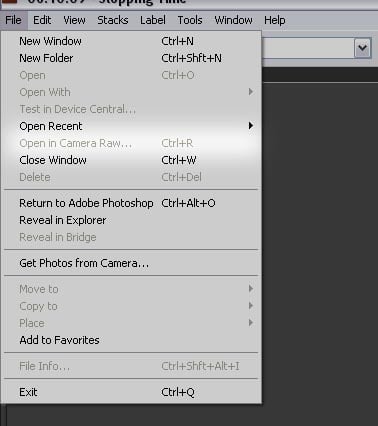
The solution was to purge the cache via Tools->Cache->Purge Cache For Folder FOLDERNAME. Voila! The menu item was no longer grayed out, and the shortcut (Ctrl+R) began working.
Thought I’d mention it in case any of you run into the same problem…
Related Articles

Discussion